How to Block Porn on iPhone (iOS) and Android?
To effectively block porn on iPhone (iOS) and Android, combine three tools: the phone's built-in parental controls, a filtering DNS, and a porn blocker app — all locked behind a passcode the user does not hold.
Blocking porn, adult content or explicit content on iPhone and Android stops the phone from loading pornographic websites, apps, and search results. iPhone bundles every blocking control inside Screen Time. Android splits the same controls across Google SafeSearch, Private DNS, and Google Family Link. This is because Android has no single setting that matches iPhone's Limit Adult Websites.
This guide covers how to block porn on iPhone, Android, and iPad, the features of the best porn blocker apps, and why blocking is the first step in porn addiction recovery.
On iPhone, the main block is at Settings → Screen Time → Content & Privacy Restrictions → Content Restrictions → Web Content → Limit Adult Websites. On Android, the matching setting is Settings → Network & internet → Private DNS → family.cloudflare-dns.com.
What Is a Porn Blocker?
A porn blocker is software or a device-level setting that prevents a phone from loading pornographic websites, apps, search results, and ads. A porn blocker, also called a content blocker or adult content filter, intercepts requests to pornographic domains and replaces them with a block page or an error. Porn blockers operate at the device, the network, or the application layer, and effective blocking layers all three so that a single bypass does not expose the rest of the device.
Porn blockers fall into six categories: built-in parental controls, DNS-level filters, content blocker apps, browser-extension blockers, router-level blockers, and accountability software. These six categories are listed below.
Built-in parental controls — iOS Screen Time and Android tools (Family Link, Digital Wellbeing) that restrict adult websites, app installs, and search results.
DNS-level filters — replace the phone's DNS resolver with one that refuses to resolve adult-content domains. Examples include Cloudflare 1.1.1.1 for Families, AdGuard DNS, and CleanBrowsing.
Content blocker apps — third-party apps from the App Store or Google Play that filter content across browsers, apps, and notifications.
Browser-extension blockers — extensions in Safari, Chrome, or Firefox that filter websites within that browser only.
Router-level blockers — DNS or firewall rules on a home router that filter adult content for every device on the network.
Accountability software — apps that combine blocking with reporting to a trusted accountability partner; common in porn addiction recovery programs.
How to Block Porn on iPhone?
To block porn on iPhone, enable Screen Time → Content & Privacy Restrictions → Content Restrictions → Web Content → Limit Adult Websites, restrict App Store downloads to age-appropriate ratings, and lock the configuration behind a Screen Time passcode. iPhone's built-in adult content blocking lives inside Screen Time, the iOS parental control system Apple introduced in iOS 12 in 2018.
Screen Time's four blocking actions — limiting adult websites, blocking specific URLs, restricting App Store downloads by age rating, and locking the configuration with a passcode — work together as the iPhone's native porn blocker. Screen Time alone is not enough for users who own their own Screen Time passcode, because the passcode-holder can disable the block. The four sections below cover each blocking action. iPhone 14, 15, 16, and 17 share the same Screen Time interface — every step applies to any iPhone running iOS 12 or later.
How to Block Adult Websites on iPhone Using Screen Time?
Screen Time blocks adult websites on iPhone in seven steps. The seven steps are: open Settings, tap Screen Time, turn it on, tap Content & Privacy Restrictions, enable the toggle, tap Content Restrictions, tap Web Content, and select Limit Adult Websites. The steps are described below.
Open the Settings app on iPhone.
Tap Screen Time.
If Screen Time is off, tap Turn On Screen Time and follow the prompts. Choose "This is My iPhone" or "This is My Child's iPhone." The second option requires Family Sharing.
Tap Content & Privacy Restrictions.
Toggle Content & Privacy Restrictions on.
Tap Content Restrictions, then tap Web Content.
Select Limit Adult Websites. Optionally tap Add Website under "Never Allow" to block specific domains, or tap "Always Allow" to allowlist sites that should remain accessible.
According to Apple's Screen Time documentation, Limit Adult Websites uses an internal list of adult domains and blocks those domains across Safari and any iOS app that uses Apple's Web Content filter, including most third-party browsers.
Limit Adult Websites does not block adult content inside in-app browsers that bypass Web Content filtering, does not block adult images served through social media apps, and does not block adult ads served by ad networks. DNS filtering and a content blocker app close those gaps.
How to Block Specific Porn Websites in Safari on iPhone?
To block specific porn websites in Safari on iPhone, add each domain to the Never Allow list under Screen Time → Content Restrictions → Web Content. Limit Adult Websites uses Apple's automatic list of adult domains, while the Never Allow list is the user-added custom domain list that closes gaps where Apple's list is not exhaustive.
In Settings → Screen Time → Content & Privacy Restrictions → Content Restrictions → Web Content, ensure Limit Adult Websites is selected.
Tap Add Website under the Never Allow heading.
Type the domain to block (for example,
example.com) and tap Done.Repeat for each site to block.
The Never Allow list applies in Safari and in any iOS app that uses the Web Content filter. The list does not block content delivered via in-app browsers that bypass the system filter.
How to Block Adult Apps on iPhone?
To block adult apps on iPhone, restrict the App Store to age-appropriate ratings inside Screen Time → Content & Privacy Restrictions → Content Restrictions. iOS blocks adult apps by App Store age rating, and apps with explicit content carry the 17+ rating. Setting the maximum allowed rating below 17+ removes those apps from the Home Screen and App Store search results.
Open Settings → Screen Time → Content & Privacy Restrictions → Content Restrictions.
Tap Apps, then choose the highest age rating allowed (for example, 12+ to block 17+ apps).
Optionally, under iTunes & App Store Purchases, set Installing Apps to Don't Allow to prevent any new app installs.
Under Allowed Apps, toggle off any pre-installed app the user should not access (for example, FaceTime or Safari if a curated browser is preferred).
Age-rating restriction blocks new adult app installs but does not remove an already-installed app, so uninstall existing adult apps manually before applying the restriction.
How to Permanently Block Porn on iPhone?
To permanently block porn on iPhone, lock the Screen Time configuration behind a Screen Time passcode that another person controls.
No setting on iPhone blocks porn permanently on its own. "Permanent" blocking on iPhone means the user cannot disable the block without a passcode they do not have. Every iPhone porn blocking setting is reversible by whoever controls the Screen Time passcode, so the passcode must be set and held by a different person — a partner, parent, accountability partner, or therapist.
After enabling Limit Adult Websites and any custom Never Allow domains, return to Settings → Screen Time → Lock Screen Time Settings.
Tap Use Screen Time Passcode, the option Apple introduced in iOS 12.
Enter a 4-digit passcode chosen by the accountability partner, not the user. The user does not see or memorize the code.
Skip the Apple ID recovery step or use the partner's Apple ID. Using the user's own Apple ID lets the user reset the passcode through account recovery.
A user with iOS Recovery Mode access can still reset the device, which removes Screen Time entirely. Pair the passcode with a content blocker app that includes uninstall protection for stronger durability.
How to Block Porn on Android?
To block porn on Android, combinine three separate tools — Google SafeSearch (to filter search results), Private DNS (to filter domain requests), and Google Family Link (to lock the configuration). Android currently does not have a single built-in adult-content filter equivalent to iPhone's Limit Adult Websites. iOS bundles website blocking, app age-rating, and passcode lock into Screen Time. Android distributes these controls across SafeSearch, Private DNS, Digital Wellbeing, and Family Link.
The closest Android equivalent to iPhone's Screen Time configuration is the three-layer combination below. SafeSearch filters Google search results. Private DNS refuses to resolve adult domains across every browser and app. Family Link locks the configuration behind the supervising parent's password. These steps apply across Samsung, Pixel, and OnePlus Android phones with minor menu-name variations.
How to Block Adult Content with Google SafeSearch on Android?
Google SafeSearch filters explicit images, videos, and websites from Google search results on Android when set to "Filter" and locked at the Google account level. SafeSearch can be set to Filter (most strict — blocks explicit images and videos), Blur (blurs explicit images), or Off.
Open the Google app or
google.comin any browser on the Android phone.Tap the profile icon → Settings → SafeSearch.
Select Filter.
To prevent the user from disabling SafeSearch, sign into the Google account in a supervised profile via Google Family Link and lock SafeSearch through Family Link's parental controls.
SafeSearch only filters Google search results. SafeSearch does not block adult content accessed via direct URL, social media, or non-Google search engines, so combine SafeSearch with Private DNS to filter domain requests across all apps.
How to Block Adult Sites with Private DNS on Android?
To block adult sites with Private DNS on Android, set the Private DNS provider to a filtering DNS such as family.cloudflare-dns.com or dns.adguard.com under Settings → Network & internet → Private DNS. Private DNS is a setting Google introduced on Android 9 (Pie) in 2018 that routes every DNS request through a chosen provider. Filtering DNS providers refuse to resolve adult-content domains, blocking those sites across every browser and app at once.
Open Settings → Network & internet → Private DNS. The path is Connections → More connection settings → Private DNS on Samsung devices.
Select Private DNS provider hostname.
Enter
family.cloudflare-dns.com(Cloudflare's 1.1.1.1 for Families, which blocks adult content and malware),dns.adguard.com(AdGuard family filter), ordns.cleanbrowsing.org(CleanBrowsing family filter).Tap Save.
A user with admin access to the device can change Private DNS back to Automatic, so combine Private DNS with Family Link supervision or a content blocker app that detects DNS modifications.
How to Block Porn with Google Family Link on Android?
Google Family Link blocks porn on Android by supervising the device under a parent account, filtering Chrome and Google Play, and locking the configuration behind the parent's password. Family Link is a free Google parental control app that links a supervised account to a parent account.
Install Google Family Link from Google Play on both the supervisor's phone and the supervised device.
On the supervisor's phone, tap Add child or family member and follow the prompts to link the supervised account.
Open the supervised user's profile → Controls → Content restrictions → Google Chrome → Try to block explicit sites.
Under Controls → Google Search, lock SafeSearch to Filter.
Under Controls → Google Play, set the maximum allowed app rating (PEGI 7, Everyone, Teen, or Mature 17+).
Family Link's "Try to block explicit sites" is best-effort and does not catch every adult site, so pair Family Link with Private DNS for stronger domain-level filtering.
How to Block Porn on iPad?
To block porn on iPad, use the same Screen Time configuration as iPhone — Settings → Screen Time → Content & Privacy Restrictions → Content Restrictions → Web Content → Limit Adult Websites. iPadOS shares the iOS parental control system. iPadOS branched from iOS as a separate operating system name in 2019 but kept the Screen Time architecture intact, so the seven-step path documented in the iPhone section applies identically on iPad.
A shared family iPad with multiple users should use Screen Time for Family under iCloud Family Sharing so each user account has its own restrictions, not a single device-wide block. The same three-layer combination applies: Screen Time, a filtered DNS, and a content blocker app, with a Screen Time passcode held by another person.
What Makes The Best Porn Blocker Apps for Phones?
The best porn blocker apps for phones combine cross-app content filtering, accountability reporting, uninstall protection, and integration with the device's parental control system. A porn blocker app's quality is measured by the access paths it closes, not by the marketing language on its app store listing. The five features that distinguish an effective porn blocker app are cross-app filtering, uninstall protection, accountability partner reporting, image-recognition filtering, and integration with native parental controls, all listed below.
Cross-app filtering — filters content inside browsers, social media apps, in-app browsers, and ad networks. A blocker that only filters one browser leaves every other app exposed.
Uninstall protection — prevents the app from being deleted without a passcode the user does not control. Without it, the user removes the block in one tap.
Accountability partner reporting — sends attempt notifications and weekly reports to a trusted accountability partner, converting blocking from a passive filter into an active recovery tool.
Image-recognition filtering — uses on-device image classification to flag and blur explicit images that slip past URL-based filters.
Native parental control integration — works with iOS Screen Time and Android Family Link rather than competing with them. The strongest blocking comes from layered tools, not from one app doing everything.
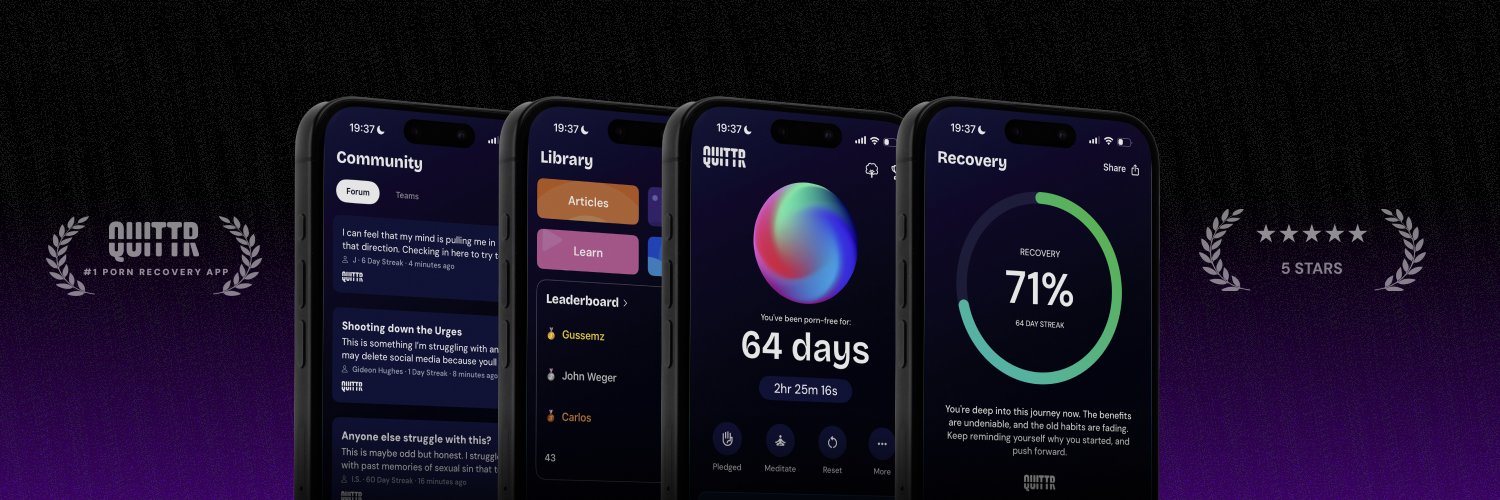
For users blocking porn as part of pornography addiction recovery, the QUITTR porn blocker is built for the recovery use case and combines the five features above with daily recovery check-ins, withdrawal tracking, and an accountability community.
Why Blocking Porn Supports Recovery from Porn Addiction?
Blocking porn on your phone is the foundational step in porn addiction recovery because it removes the environmental cues that drive the brain's conditioned craving response. Compulsive pornography use is a behavioral addiction in which the brain's reward system has been conditioned to expect dopamine release in response to specific cues — unfiltered device access, certain times of day, or specific contexts. Removing access at the device level removes the cues. The World Health Organization recognized Compulsive Sexual Behaviour Disorder (CSBD) in the ICD-11 in 2019, providing the clinical framework for treating compulsive porn use as a behavioral health intervention.
Blocking is step 2 of the recovery process. It precedes building accountability, seeking professional treatment, developing healthy coping mechanisms, and creating a relapse prevention plan.