Best Free Porn Blockers in 2026 for Phone, PC and Router
The best free porn blocker for most people is not a single app. It is a free family DNS filter (CleanBrowsing, Cloudflare 1.1.1.1 for Families or OpenDNS FamilyShield) set on your router and phone, layered with the controls already built into your devices, like Screen Time on iPhone, Private DNS and SafeSearch on Android, and Family Safety or locked DNS on Windows.
Below you'll find the exact DNS addresses (checked against official pages in October 2026), step-by-step settings for each device, an honest comparison table, the common ways people get around free blockers, and how to close those gaps.
Quick Picks: The Best Free Porn Blocker for Each Device

If you only have ten minutes, do this:
Whole home (router): set your router's DNS to a free family filter. One change covers every phone, laptop, console and TV on your Wi-Fi.
iPhone: turn on Screen Time's adult website limit and let someone else set the passcode.
Android: set Private DNS to a family filter and lock SafeSearch on.
PC: set Windows DNS to a family filter, keep your browser's secure DNS on your current provider, and add a free blocking extension such as LeechBlock NG.
Here is how the main free options compare. "Bypass difficulty" assumes the person trying to bypass is you, on a bad night, with the settings unlocked.
CleanBrowsing Family Filter
Platforms: Any device or router (DNS)
What it blocks: Adult sites, proxy/VPN domains, mixed-content sites like Reddit; forces SafeSearch on Google, Bing, YouTube
Bypass difficulty: Medium (strongest free DNS option)
Truly free?: Yes, no account; free tier is throttled, no support
CleanBrowsing Adult Filter
Platforms: Any device or router (DNS)
What it blocks: Adult sites; SafeSearch on Google and Bing; leaves Reddit, VPNs and proxies open
Bypass difficulty: Low–medium
Truly free?: Yes, same free-tier limits
Cloudflare 1.1.1.1 for Families (1.1.1.3)
Platforms: Any device or router (DNS), Android app
What it blocks: Adult content and malware
Bypass difficulty: Low–medium
Truly free?: Yes
OpenDNS FamilyShield
Platforms: Any device or router (DNS)
What it blocks: Adult content (preconfigured)
Bypass difficulty: Low–medium
Truly free?: Yes, no sign-up
iPhone/Mac Screen Time
Platforms: iOS, iPadOS, macOS
What it blocks: Many adult websites, plus your own block list
Bypass difficulty: Medium if someone else holds the passcode; low if you do
Truly free?: Yes, built in
Google Family Link
Platforms: Child/teen Android phones, Chrome
What it blocks: Tries to block sexually explicit sites in Chrome; can keep SafeSearch on
Bypass difficulty: Medium for kids; not for adults supervising themselves
Truly free?: No subscription needed
Microsoft Family Safety
Platforms: Windows, Xbox, Edge on mobile
What it blocks: Mature sites in Edge, filtered Bing searches; blocks unsupported browsers
Bypass difficulty: Medium (for a supervised account)
Truly free?: Included with a Microsoft account
LeechBlock NG
Platforms: Firefox, Chrome (extension)
What it blocks: Sites and keywords you choose
Bypass difficulty: Low–medium (password or random access code)
Truly free?: Yes, open source
Built-in tools are free because you already paid for the device. DNS filters are free because the providers offer a basic tier at no cost. Most "free porn blocker apps" in app stores are actually free trials, so check the price before you rely on one.
Free DNS Filters: The Best Free Porn Blocker for Your Whole Network

Every time a phone or laptop opens a website, it first asks a DNS server to translate the name into an address. A family DNS filter simply refuses to answer for known adult domains. Because it works below the browser, it covers every app, every browser and private windows too.
Verified free DNS addresses (October 2026)
CleanBrowsing Family Filter
IPv4: 185.228.168.168, 185.228.169.168
IPv6: 2a0d:2a00:1::, 2a0d:2a00:2::
Encrypted option: DoH:
https://doh.cleanbrowsing.org/doh/family-filter/
CleanBrowsing Adult Filter
IPv4: 185.228.168.10, 185.228.169.11
IPv6: 2a0d:2a00:1::1, 2a0d:2a00:2::1
Encrypted option: DoH:
https://doh.cleanbrowsing.org/doh/adult-filter/
Cloudflare 1.1.1.1 for Families (adult + malware)
IPv4: 1.1.1.3, 1.0.0.3
IPv6: 2606:4700:4700::1113, 2606:4700:4700::1003
Encrypted option: Private DNS hostname:
family.cloudflare-dns.com
OpenDNS FamilyShield
IPv4: 208.67.222.123, 208.67.220.123
IPv6: Not listed on the setup guide
Encrypted option: —
Sources: CleanBrowsing's filter page, Cloudflare's setup docs and the OpenDNS FamilyShield setup guide.
Watch the near-misses. Cloudflare's 1.1.1.2 blocks only malware, and OpenDNS's regular 208.67.222.222 does not use FamilyShield filtering. Copy the numbers exactly.
Which DNS filter should you pick?
CleanBrowsing Family Filter is the strictest free option. According to CleanBrowsing, it blocks adult sites plus proxy and VPN domains that are used to dodge filters, blocks mixed-content sites like Reddit, and forces SafeSearch on Google, Bing and YouTube. The trade-off: Reddit and some other sites stop working.
CleanBrowsing Adult Filter blocks adult sites and enforces SafeSearch on Google and Bing, but leaves Reddit, proxies and VPNs open. CleanBrowsing says its free tier needs no account but is throttled and comes with no support.
Cloudflare 1.1.1.1 for Families (1.1.1.3) blocks malware and adult content. You only change two DNS numbers, or use Cloudflare's free 1.1.1.1 app on Android. Cloudflare doesn't advertise SafeSearch enforcement, so lock SafeSearch separately (covered below).
OpenDNS FamilyShield is, in OpenDNS's words, preconfigured to block adult content, free, and requires no sign-up.
If you are quitting porn for yourself, start with CleanBrowsing Family. Blocking VPN and proxy domains closes one of the most common escape routes.
How to set a DNS filter on your router
Router menus differ by brand, but the process is the same:
Open your router's admin page in a browser (the address and login are usually printed on the router).
Find the DNS settings. They are often under WAN, Internet or LAN/DHCP.
Write down the current DNS values so you can undo the change.
Replace them with one pair of IPv4 addresses from the table above.
If your router hands out IPv6 DNS, enter the matching IPv6 pair too. Otherwise devices may quietly use an unfiltered IPv6 server.
Save, restart the router, and reconnect your devices.
Test by visiting a known adult domain. You should see a block page or a connection error.
Then change the router's admin password, and give it to your accountability partner. Otherwise the filter is one login away from being undone.
Free Porn Blocker for iPhone (and Mac): Screen Time
Screen Time is the best free porn blocker for iPhone because it is built in, covers the whole device, and can be locked with a passcode. For more iPhone-specific options, see our guide on how to block porn on iPhone and Android.
iPhone steps (iOS 26)
According to Apple's iPhone User Guide for iOS 26:
Open Settings and tap Screen Time.
Tap Content & Privacy Restrictions and turn it on.
Tap App Store, Media, Web, & Games, then Web Content.
Select Limit Adult Websites.
Under Never Allow, tap Add Website to block specific sites that slip through.
On iOS 27: Apple redesigned Screen Time, and the current guide moves web filtering for child accounts under Settings > Family > [child] > Apps & Websites > Restrictions > Filtering. If you are setting this up on your own iPhone and can't find the option, search Settings for "Limit Adult Websites."
Lock it with a Screen Time passcode
A filter you can turn off in five seconds won't hold during a strong urge. Apple's passcode guide for iOS 27 says to go to Settings > Screen Time > Manage Screen Time > Lock Screen Time Settings and enter a four-digit code.
Two important details:
Let someone else type the code. Hand the phone to a partner, friend or mentor and look away.
Think twice about Passcode Recovery. Apple lets you reset a forgotten Screen Time passcode with your Apple Account. That is convenient, but it also means you can reset it yourself on a bad night.
Mac steps
On a Mac, Apple's Screen Time guide says: Apple menu > System Settings > Screen Time > Content & Privacy > App Store, Media, Web, & Games, then select Limit Adult Websites in the Safari section. Apple documents this setting under Safari, so don't assume it covers Chrome or Firefox. Add a DNS filter to cover other browsers.
Limits on iPhone
Apple describes the setting as limiting access to "many" adult websites, not all of them, so new or obscure sites can slip through. Use the Never Allow list for anything you find.
Router DNS only protects you on home Wi-Fi. On mobile data, Screen Time is your main layer.
Apple doesn't document how well the setting works inside other browsers and in-app browsers, so test the ones you use.
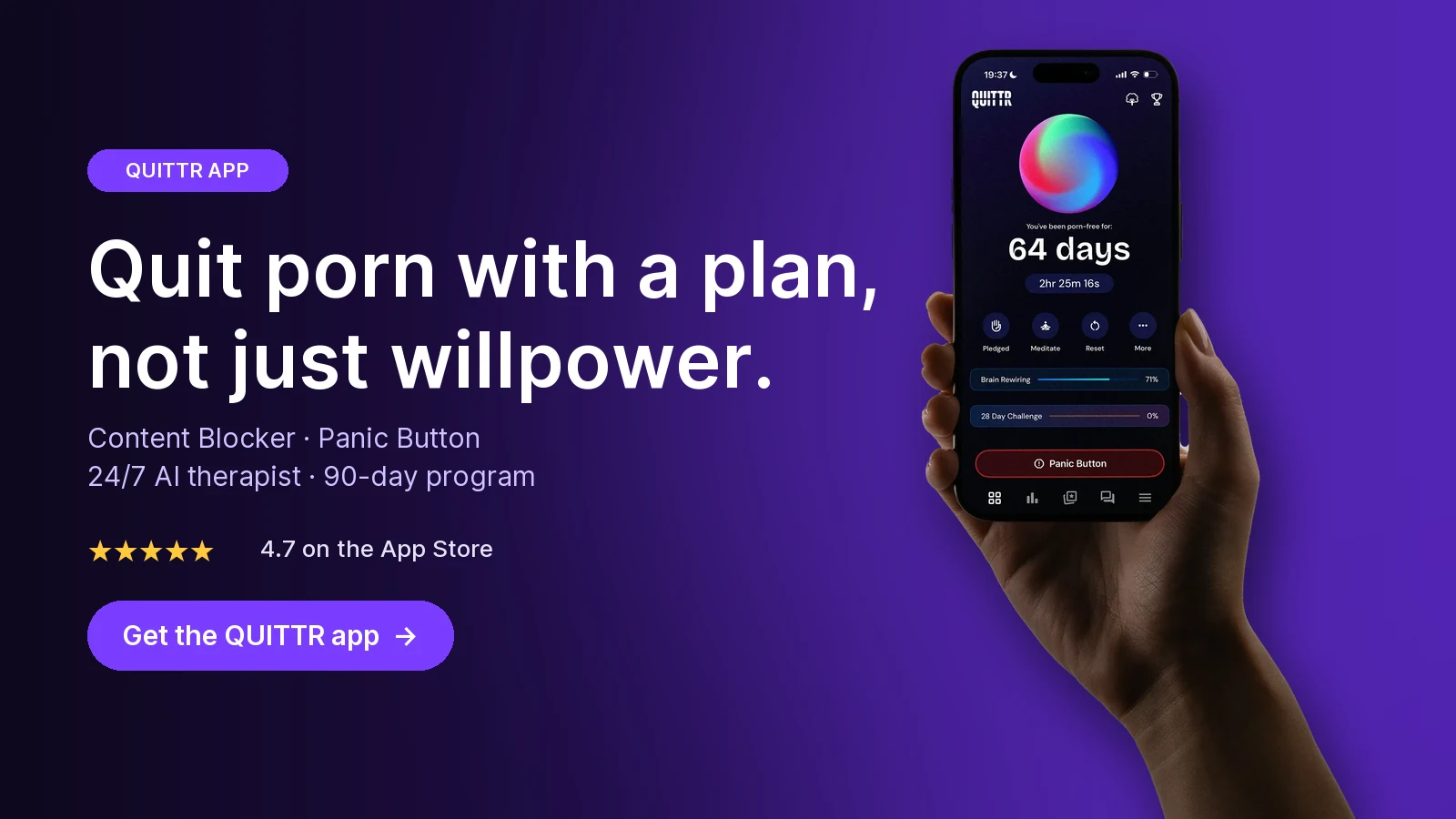
Ready to quit with a plan? Download QUITTR for iPhone or Android → · See how the app works
Free Porn Blocker for Android: Private DNS, SafeSearch and Family Link

The best free porn blocker for Android is Private DNS, because it applies to Wi-Fi and mobile data, across all apps.
Step 1: Set Private DNS to a family filter
Following Cloudflare's Android instructions (Android 9 and later):
Open Settings > Network & internet.
Tap Advanced > Private DNS (on some phones, search Settings for "Private DNS").
Choose Private DNS provider hostname.
Enter
family.cloudflare-dns.comand tap Save.
Cloudflare also offers its free 1.1.1.1: Faster Internet app on Google Play. In the app, go to the menu, then Advanced > Connection options > DNS settings > 1.1.1.1 for Families, and pick the malware and adult content option.
Limit: anyone holding the phone can switch Private DNS back to Automatic in a few taps. That is why the next two steps matter.
Step 2: Lock SafeSearch on Google
Explicit images often come through search, not porn sites. Google's SafeSearch help explains that network admins can force SafeSearch by pointing Google domains to forcesafesearch.google.com, and that a parent using Family Link can keep SafeSearch on for a child's account. You can confirm the result at google.com/safesearch. CleanBrowsing's Family and Adult filters already force SafeSearch on Google and Bing, which is one more reason to choose them.
Step 3 (for parents): Google Family Link
For a child or teen's phone, Google Family Link lets you go to Controls > Google Chrome and Web and pick Try to block explicit sites or the stricter Only allow approved sites. Google says incognito mode is turned off while a supervised child is signed in to Chrome.
Google is also upfront about gaps: no filter is perfect, and a child may use other browsers where these settings don't apply. Family Link is built to supervise kids' accounts, not for an adult to supervise himself.
Free Porn Blocker for PC: Windows DNS, Family Safety and Extensions
A good free porn blocker for PC stacks two layers: DNS for the whole computer, and a browser tool for the gaps. For a deeper walkthrough, see how to block porn on a computer.
Set a family DNS filter in Windows 11
Based on Microsoft's Windows network settings guide:
Open Settings > Network & internet.
For Wi-Fi, choose Wi-Fi > Manage known networks and select your network. For a cable, choose Ethernet.
Select Edit next to the DNS or IP assignment setting (labels vary slightly by build), then choose Manual.
Turn on IPv4 and enter a family filter pair in Preferred DNS and Alternate DNS.
Optional but stronger: set DNS over HTTPS to On (manual template), paste CleanBrowsing's DoH address, and turn off Fallback to plaintext.
Select Save. Repeat for IPv6 if your network uses it.
Microsoft notes that DNS over HTTPS isn't available in Windows 10, so on Windows 10 use plain DNS or set the filter on your router.
Microsoft Family Safety (for supervised accounts)
Microsoft Family Safety blocks mature websites and filters Bing searches by default for family members. The catch is that filtering only works in Microsoft Edge while signed in to the member's Microsoft account. To stop bypasses, unsupported browsers are blocked when filtering is on. It works on Windows 10, Windows 11, Xbox, and mobile devices with Edge and the Family Safety app.
Like Family Link, it is designed for a parent managing a child's account.
Free browser extensions
Browser extensions are the weakest layer, but they are free and quick to set up:
LeechBlock NG is free, open source and listed on Mozilla Add-ons (it is also in the Chrome Web Store). You get up to 30 block sets, keyword blocking, wildcards, a "lockdown" that blocks sites immediately for a set time, and a password or random access code on the options page. It is a general-purpose blocker, so you supply the sites and keywords. The random access code is a nice trick: typing a long string of random characters gives your rational brain time to catch up.
BlockSite often appears on free porn blocker lists. When we checked its official site in October 2026, it promoted a free trial and a paid lifetime plan but didn't spell out what the free version includes, so we can't recommend it as a reliable free option.
If you use Chrome, our guide to blocking adult websites on Google Chrome covers more settings.
How People Get Around Free Porn Blockers

Being honest about bypasses is the only way to build a setup that holds. These are the common ones:
Turning it off. The most common bypass is simply opening Settings. Any filter you can disable yourself in under a minute will be disabled during a strong urge.
Browser "secure DNS" (DNS over HTTPS). Chrome can send DNS lookups over encrypted DoH. In its default automatic mode it uses your current provider, which keeps your filter. But Chrome's help page shows you can pick a custom provider instead, which skips your family DNS completely. Chrome notes secure DNS isn't available on managed devices or when parental controls are on.
VPNs and proxies. A VPN usually sends your DNS through the VPN company, so your filter never sees the request. CleanBrowsing's Family Filter blocks many VPN and proxy domains; the Adult Filter, Cloudflare and FamilyShield don't advertise this.
Switching networks. A router filter only covers your Wi-Fi. Mobile data, a neighbor's network or public Wi-Fi bypasses it.
Private and incognito windows. Device-level DNS still applies in private windows, because private mode doesn't change your DNS. Browser extensions are different: many don't run in private windows unless you allow them.
Other browsers and apps. Family Link and Family Safety mainly control Chrome and Edge. Social apps and in-app browsers can show explicit content without visiting a "porn site."
Research backs up the caution. In a 2018 Oxford study using EU data on 13,176 young people plus a preregistered survey of 1,004 British adolescents and caregivers, Przybylski and Nash found that caregivers' use of internet filtering had "inconsistent and practically insignificant" links with young people's exposure to online sexual material. Filters alone are not a plan.
How to Make a Free Blocker Harder to Bypass

You can't make a free setup unbreakable, but you can make breaking it slow and inconvenient. That delay is often enough for an urge to pass. If you're curious why the pull is so strong in the first place, read why porn is so hard to quit.
1. Layer at least two independent blocks
Use DNS (router plus phone) and a device setting (Screen Time, Private DNS, Windows DNS). If one fails, the other still catches most attempts.
2. Give the keys away
Have an accountability partner set every password and passcode:
Router admin password
Screen Time passcode (skip Passcode Recovery, or let them handle it)
LeechBlock password, or use the random access code
Microsoft or Google family organizer account, if you use one
Choose someone you trust who won't shame you. A spouse can work, but many couples find it healthier to use a friend, mentor or group leader so the relationship doesn't turn into policing.
3. Close the common bypasses
Use CleanBrowsing Family so most VPN and proxy domains are blocked.
In Chrome, keep secure DNS on your current service provider (or off) so it can't skip your filter.
On Windows 11, use DNS over HTTPS with the CleanBrowsing template and Fallback to plaintext off.
Set IPv6 DNS as well as IPv4, on both router and PC.
Lock SafeSearch on Google.
4. Test your own setup
Once a week, try to visit a known adult domain on Wi-Fi, mobile data and a private window. If something gets through, fix that gap the same day. Keep testing short and clinical, then close the browser.
5. Plan for the moment the blocker isn't there
Hotel Wi-Fi, a friend's laptop, a new phone. Decide in advance what you'll do when you notice an urge, such as leaving the room, calling someone, or using a quick routine like the ones in our guide to beating NoFap urges.
When a Paid Porn Blocker Is Worth It

Free tools are good at one job: stopping easy access. If that's enough for you, you don't need to pay anything.
A paid tool earns its price when the problem is bigger than access:
You keep turning the blocker off. That's a sign the urge is the problem, not the filter. Blocking alone doesn't teach you what to do when the craving hits.
You need support in the moment. Free blockers show an error page. They don't help you calm down, identify the trigger, or get through the next 20 minutes.
You want to track progress. Seeing a streak and a recovery plan can keep you going when motivation dips.
You want accountability without a human gatekeeper. Some paid tools add reports or community check-ins. Compare options in our roundup of porn blocking apps.
If your use feels out of control, or it's tied to anxiety, depression or relationship problems, a licensed therapist is worth more than any app. A blocker and an app can support therapy, but they don't replace it.
Key takeaways
The best free porn blocker is a layered setup: a family DNS filter on your router and phone, plus your device's built-in controls.
CleanBrowsing Family (185.228.168.168 / 185.228.169.168) is the strictest free DNS option because it also blocks many VPN and proxy domains.
Free blockers are easy to bypass if you hold the passwords, so give the passcodes to an accountability partner.
Close DoH, VPN, IPv6 and mobile-data gaps, and test your setup weekly.
Blocking limits access, not urges. Pair it with a plan for cravings, and seek professional help if you feel out of control.
How QUITTR Can Help
Free blockers stop the page from loading. They don't help you with the urge that made you open it. QUITTR is a paid recovery app (iOS, Android and a Chrome extension) that combines both.
Its Content Blocker filters adult websites, risky search terms and porn URLs across browsers on your phone, and also blocks inappropriate ads. When an urge hits, the Panic Button launches a quick sequence of breathing exercises, distractions and motivational messages. Melius, the AI therapist, offers private 24/7 support to help you spot triggers and recover after a relapse. A tracker, a personalized 90-day plan and an anonymous community add structure and accountability.
QUITTR is subscription-based, so check the app for current pricing. You can download QUITTR here.
“I didn’t think I could ever break free from porn—but QUITTR’s content blocker gave me the tools to regain control. The sense of achievement and freedom I feel today is beyond words.” — Daniel Franklin
Join the 28-day challenge. Get QUITTR on the App Store or Google Play → · Learn more about QUITTR
Related articles
Frequently Asked Questions
What is the best free porn blocker?
For most people, the best free porn blocker is a free family DNS filter such as CleanBrowsing's Family Filter or Cloudflare's 1.1.1.3, set on your router and your phone, combined with your device's built-in controls. DNS covers every app and browser on that connection, and built-in tools like Screen Time add a passcode lock. No single free tool is bypass-proof, so layering matters more than which one you pick.
Is there a free porn blocker for iPhone?
Yes. Screen Time is built into every iPhone and can limit adult websites at no cost. On iOS 26 the setting is under Settings > Screen Time > Content & Privacy Restrictions > App Store, Media, Web, & Games > Web Content > Limit Adult Websites. Have someone else set the Screen Time passcode so you can't switch it off on impulse.
Is there a free porn blocker for Android?
Yes. Android's Private DNS setting lets you route all lookups through a free family filter, for example by entering family.cloudflare-dns.com under Settings > Network & internet > Private DNS. Pair it with SafeSearch on Google. Parents can also use Google Family Link to block explicit sites in Chrome on a child's phone.
Can free porn blockers be bypassed?
Yes, and fairly easily. Common bypasses are switching to mobile data, turning on a VPN, changing a browser's secure DNS setting, or simply turning the filter off. You can make that much harder by locking settings with a passcode someone else holds, using a filter that blocks VPN and proxy sites, and layering DNS with device controls.
Do porn blockers actually work?
They reduce easy access, which helps on impulsive moments, but research on filtering alone is not encouraging. A 2018 Oxford study with more than 14,000 participants found filters had inconsistent and practically insignificant links with exposure to sexual material. Treat a blocker as a speed bump, and pair it with a plan for urges and some form of accountability.
Sources
Block apps, app downloads, websites, and purchases on iPhone (iOS 26) — Apple Support
Create, change, or remove a Screen Time passcode on iPhone — Apple Support
Change App Store, Media, Web, & Games settings in Screen Time on Mac — Apple Support
Chrome & your child's Google Account — Google For Families Help
Lock SafeSearch for devices & networks you manage — Google Search Help
Filter websites and searches using Microsoft Family Safety — Microsoft Support
Essential network settings and tasks in Windows — Microsoft Support