How to Block Pornhub on Every Device (2026 Guide)
How to block Pornhub on any device comes down to two moves: add the site to a built-in block list (Screen Time's Never Allow list on iPhone, the hosts file on Windows), then put a filter underneath it that blocks the whole adult category, such as a family DNS filter on your phone, computer or router. Lock both with a password someone else keeps, so a bad night can't undo them in 30 seconds.
This guide walks through exact settings for iPhone, Android, Windows, Mac, Chrome and your router, explains why Pornhub may already be blocked in your state, and covers the part most blocking guides skip: what to do when you hit the block and the urge is still there.
Why Blocking Only Pornhub Isn't Enough

Blocking one address feels decisive. In practice, it mostly moves you to the next site.
The best evidence comes from the U.S. states that passed age-verification laws. A pre-registered study from NYU's Center for Social Media and Politics looked at Google search data after those laws took effect. Three months in, searches for the dominant site that complied with the laws fell by 51%. But searches for the dominant site that didn't comply rose 48.1%, and searches for VPNs rose 23.6% (NYU CSMaP). The authors concluded that people mostly adapt by switching to sites that don't check ages.
Your brain does the same thing on a smaller scale. If Pornhub is blocked and nothing else is, the urge just types a different name.
So treat this as a layered setup:
Block the specific site you keep going back to, by name, on every device.
Block the category with a filter that covers adult sites in general, not just one domain.
Lock the settings behind a passcode or admin password someone else holds.
Plan for the urge that shows up when the block page does.
None of these layers is unbreakable on its own. Together, they add enough minutes between impulse and click for you to make a different choice.
Block Pornhub on iPhone and iPad (Screen Time)

Screen Time is built in and free, and it lets you name specific sites on top of Apple's automatic adult filter.
iOS 26 and earlier
From Apple's iPhone User Guide for iOS 26:
Open Settings and tap Screen Time.
Tap Content & Privacy Restrictions, then turn on Content & Privacy Restrictions.
Tap App Store, Media, Web, & Games, then tap Web Content.
Select Limit Adult Websites.
Under Never Allow, tap Add Website and enter
pornhub.com. Add any other site you know is a weak spot.
Limit Adult Websites is the category layer. Never Allow is the named-site layer. You want both.
iOS 27
Apple reworked Screen Time and its parental controls in iOS 27 (Apple Support). On your own iPhone, start at Settings > Screen Time > Content & Privacy Restrictions. If Web Content isn't where the iOS 26 steps put it, type "Web Content" or "Limit Adult Websites" into the search bar at the top of Settings.
For a child's iPhone on iOS 27, Apple gives this path: Settings > Family > your child's name > Apps & Websites > Restrictions > Filtering > Limit Adult Websites. To block a single site, select it in Apps & Websites, tap Block Website and confirm. Apple says Limit Adult Websites is on by default for children under 18 (Apple Support).
Lock it with a passcode you don't know
Apple's current guide sets the passcode at Settings > Screen Time > Manage Screen Time > Lock Screen Time Settings, then asks for a four-digit code twice (Apple Support).
Hand the phone to someone you trust and let them type a code you don't see. Apple also offers Screen Time Passcode Recovery, which lets you reset the code with your Apple Account. If you're blocking for yourself, skip that option, or it becomes a two-minute way around your own lock.
Block Pornhub on Android (Private DNS or a Blocker App)
Android has no Screen Time equivalent for adults, but it has something arguably better: Private DNS, which sends every website lookup on the phone to a filtering service. It works in every browser and app.
Set a family filter as Private DNS
From Google's Android Help:
Open Settings.
Tap Network & internet > Private DNS. If you can't find it, search Settings for "Private DNS." Phone makers sometimes move it.
Choose Private DNS provider hostname.
Enter
family-filter-dns.cleanbrowsing.org.Tap Save.
That hostname is CleanBrowsing's free Family Filter. It blocks adult sites, proxy and VPN domains used to get around filters, and mixed-content sites like Reddit, and it forces SafeSearch on Google, Bing and YouTube (CleanBrowsing). If you need Reddit for work or school, use adult-filter-dns.cleanbrowsing.org instead. It blocks adult sites but leaves Reddit, proxies and VPNs alone.
The free tier needs no account, but CleanBrowsing says it's throttled and comes without support.
Check Chrome's own DNS setting
Chrome on Android has a separate Use secure DNS option under Settings > Privacy and security. Google says it's on in automatic mode by default (Chrome Help). After setting Private DNS, test Pornhub in Chrome. If it still loads, turn Use secure DNS off or point it at your filter.
Add a blocker app for the lock
The weak spot of Private DNS is that anyone holding the phone can switch it back to Off. A blocker app adds keyword filtering, search filtering and, with some apps, a lock on the settings. Our roundup of the best free porn blocker options compares what each one actually blocks.
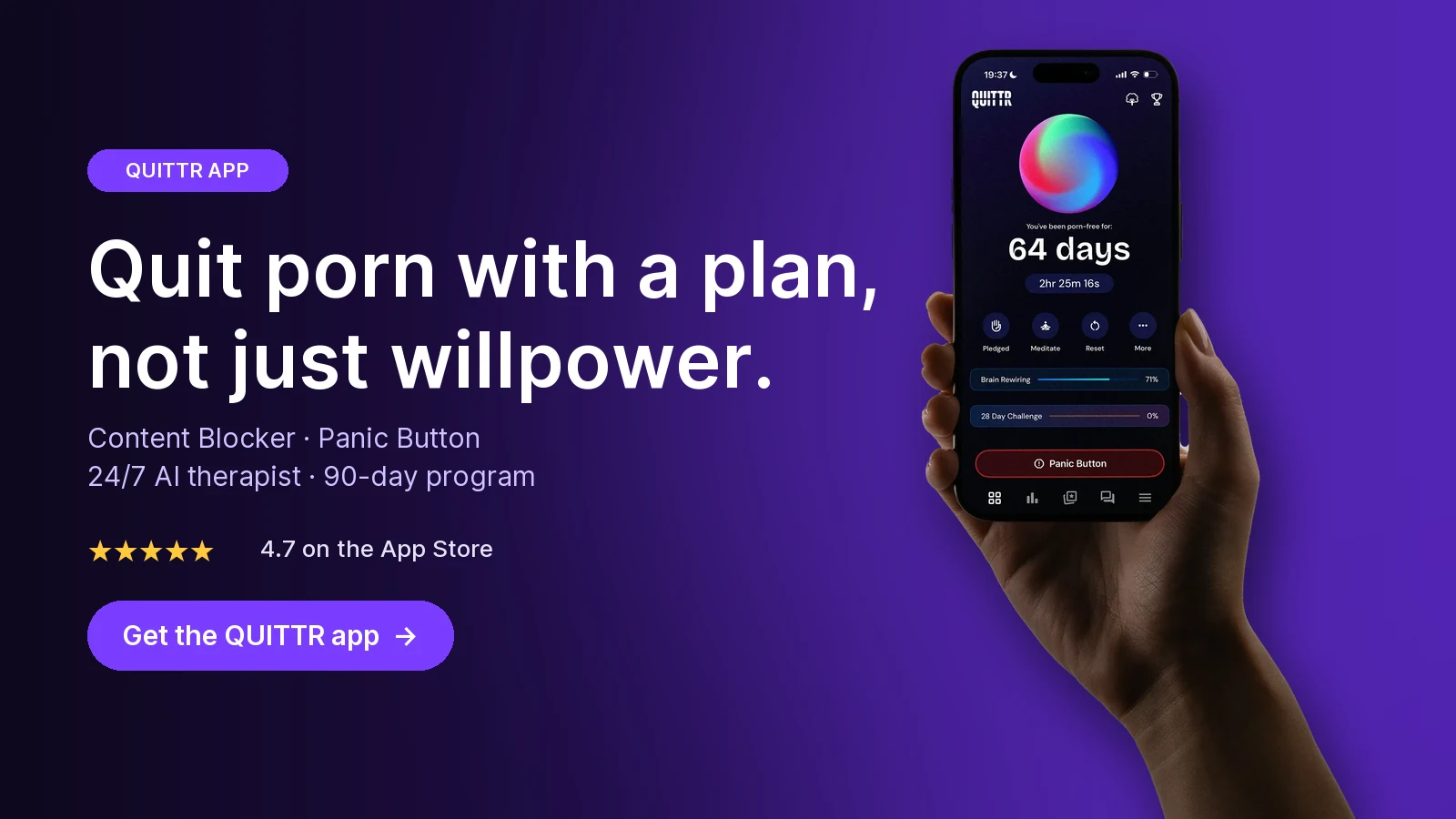
Ready to quit with a plan? Download QUITTR for iPhone or Android → · See how the app works
Block Pornhub on Windows (Hosts File and DNS)

On a Windows PC you have two free tools: the hosts file for naming specific sites, and DNS settings for the whole category.
Method 1: The hosts file
The hosts file tells Windows where to find a website before it asks any DNS server. Microsoft gives its location as %WinDir%\System32\Drivers\Etc, which is usually C:\Windows\System32\drivers\etc, and the file itself is called hosts with no extension (Microsoft Support).
Press the Windows key, type Notepad, right-click it and choose Run as administrator.
Choose File > Open, go to
C:\Windows\System32\drivers\etc, change the file-type menu from Text Documents to All Files, and openhosts.At the very bottom, add one line per address:
0.0.0.0 pornhub.com0.0.0.0 www.pornhub.comSave the file, close every browser window, and reopen your browser.
Try the site in each browser you have installed.
Lines that start with # are comments, so make sure your new lines don't.
The hosts file has real limits. It only blocks the exact names you type, with no wildcards, so it can't keep up with the thousands of similar sites. Anyone with admin rights can also delete your lines. Use it for the two or three sites that are your personal triggers, and let DNS handle the rest.
Method 2: Family DNS on Windows 11
Microsoft's network settings page describes the steps (Microsoft Support):
Open Settings > Network & internet.
Select Wi-Fi (then Manage known networks and your network) or Ethernet and your connection.
Select Edit next to the DNS (or IP) assignment setting.
Choose Manual, then turn on IPv4.
Enter
185.228.168.168as Preferred DNS and185.228.169.168as Alternate DNS. These are CleanBrowsing's Family Filter addresses (CleanBrowsing).Select Save.
Windows 11 also shows a DNS over HTTPS option in that dialog. You can leave it Off; the filter works either way.
Use a standard account
Both methods can be undone by anyone with an administrator account. The strongest home setup is a standard account for daily use, with a trusted person holding the admin password.
Block Pornhub on a Mac
On a Mac, the named-site block lives in Screen Time. From Apple's Mac User Guide:
Choose Apple menu > System Settings, then click Screen Time in the sidebar.
Click Content & Privacy, then App Store, Media, Web, & Games.
Under Safari, choose Limit Adult Websites. Apple says it automatically limits access to many adult websites.
Click Customize, click the Add button below the Restricted list, enter
pornhub.com, then click Done.
Notice that Apple lists this setting under Safari. If you use Chrome or Firefox on the Mac, add a family DNS filter so other browsers are covered too. Our step-by-step guide to blocking porn on a Mac covers macOS version differences, the Mac hosts file and the standard-account setup.
Block Pornhub on Chrome (Any Computer)
Chrome is where many people do their browsing, and also where blocks quietly fail.
Chrome has no personal block list
Chrome's normal settings don't let an adult block a site for themselves. You have three practical options:
Block underneath Chrome. The hosts file (Windows or Mac) or a family DNS filter on the computer or router stops the site in Chrome and every other browser. This is the most reliable route.
Use a blocking extension. Extensions can block named sites and keywords. Turn on incognito coverage: go to Extensions > Manage extensions, click Details on the extension, and turn on Allow in incognito. If you skip this step, a private window gets around the block.
Use Family Link for a child or teen. For a supervised Google Account, a parent can choose Try to block explicit sites and add sites under Manage sites > Blocked. Google warns that no filter is perfect, and that a child who signs out of Chrome or uses another browser isn't covered by these settings (Google For Families Help).
Close the secure DNS gap
Chrome can send its lookups over its own encrypted DNS connection instead of the one your computer uses. On desktop, check Settings > Privacy and security > Security > Advanced > Use secure DNS (Chrome Help). Either turn it off or choose a custom provider and enter your filter's encrypted address. For CleanBrowsing Family, that's https://doh.cleanbrowsing.org/doh/family-filter/ (CleanBrowsing).
Then test: open a normal window and an incognito window and try the site in both.
Block Pornhub on Your Router (Whole-House Filter)

One router change filters every device on your Wi-Fi: phones, laptops, consoles, smart TVs and guests.
Log in to your router's admin page or app.
Find the Internet, WAN or DNS settings.
Replace the automatic DNS servers with
185.228.168.168and185.228.169.168(CleanBrowsing Family).Save, restart the router, and test on two devices.
A router filter blocks the category, but it can't add your personal "never" sites the way a hosts file or Screen Time can. It also stops working as soon as a phone switches to mobile data. For brand-by-brand menus and bypass fixes, see our full guide to blocking porn on your router.
Every device at a glance
iPhone / iPad
Name the site: Screen Time > Never Allow
Block the category: Limit Adult Websites
Main gap: Passcode recovery, other browsers
Android
Name the site: Blocker app
Block the category: Private DNS (family filter)
Main gap: Can be switched off without a lock
Windows
Name the site: Hosts file
Block the category: Family DNS in Settings
Main gap: Admin accounts can undo both
Mac
Name the site: Screen Time > Restricted
Block the category: Limit Adult Websites + DNS
Main gap: Apple lists the filter under Safari
Chrome
Name the site: Extension or Family Link
Block the category: DNS underneath the browser
Main gap: Incognito, secure DNS, sign-out
Router
Name the site: Not supported
Block the category: Family DNS on the router
Main gap: Mobile data, VPNs
"Pornhub Blocked in My State": What's Going On
If Pornhub suddenly stopped loading and you didn't block it, your state's law probably did it for you.
The laws and the Supreme Court
Since 2023, a wave of states has passed laws requiring adult websites to verify that visitors are 18 or older. In Free Speech Coalition v. Paxton, decided June 27, 2025, the U.S. Supreme Court upheld Texas's law, HB 1181, by a 6–3 vote, applying intermediate scrutiny rather than the stricter test challengers wanted (SCOTUSblog).
Pornhub's owner, Aylo, has mostly responded by blocking whole states instead of checking IDs. As of a June 12, 2026 update, PCMag counted 24 states where Pornhub is blocked: Alabama, Arizona, Arkansas, Florida, Georgia, Idaho, Indiana, Kansas, Kentucky, Mississippi, Missouri, Montana, Nebraska, North Carolina, North Dakota, Oklahoma, South Carolina, South Dakota, Tennessee, Texas, Utah, Virginia, West Virginia and Wyoming (PCMag via Yahoo Tech).
A few details from that tally:
Utah was the first state blocked, in 2023.
West Virginia's law took effect June 12, 2026, and Iowa's on July 1, 2026.
Louisiana has a 2023 law, but Pornhub complied there rather than leaving.
Ohio has a law, but Aylo says it doesn't apply to its sites.
The list keeps changing, so if you're unsure about your state, check recent news rather than an old roundup.
24 — States where PCMag counted Pornhub blocked (June 2026)
6–3 — Supreme Court vote upholding Texas's law
51% — Drop in searches for the main compliant site
48.1% — Rise in searches for the main non-compliant site
23.6% — Rise in VPN searches after the laws
Utah's VPN rule, and why it was paused
Utah went further. Its 2026 Online Age Verification Amendments treated anyone physically in Utah as visiting from Utah, even through a VPN. On September 24, 2026, U.S. District Judge David Barlow granted Aylo a preliminary injunction against that provision, finding it likely violates the dormant Commerce Clause. Utah's broader 2023 age-verification law stays in force while the case continues (Gizmodo).
These laws put the obligations on websites, which is why the fight is between states and companies like Aylo. But for someone who's quitting, the legal question isn't the important one.
Why a VPN Workaround Is a Trap When You're Quitting

Search "Pornhub blocked in my state" and many of the top results are VPN guides with affiliate links. If you're trying to quit, here's why that advice works against you.
The state block is free friction. You didn't have to set it up, pay for it or ask anyone to hold a password. Removing it on purpose is a decision made by the part of you that wants to relapse.
A VPN doesn't just unblock one site. A VPN routes your traffic, and often your DNS lookups, through its own servers. That can carry you past the Private DNS, router filter and computer DNS settings you just built. One app quietly undoes most of this guide.
The research shows where that road goes. The NYU study above found that blocks didn't simply end demand: VPN searches went up, and so did searches for a large site that doesn't verify ages (NYU CSMaP). The same pattern plays out in one person's life: block one door, and the urge looks for a side door.
The workaround itself becomes a ritual. Searching for a VPN, comparing plans and installing one is 20 minutes of anticipation. For many people, that build-up is part of the cycle, and a single "just checking" session can snowball. Our guide to the chaser effect explains why one look so often turns into a binge.
What to do instead:
Delete VPN and proxy apps you don't need for work.
Use CleanBrowsing's Family Filter, which also blocks many proxy and VPN domains, so signing up for one in a weak moment is harder (CleanBrowsing).
If you need a VPN for your job, keep it on a work device or work profile only.
Tell one person you've chosen not to get around the block. Saying it out loud makes it harder to quietly undo.
When You Hit the Block and the Urge Is Still There

Every filter eventually shows you a block page. That moment matters more than the technology. The urge doesn't disappear because the site didn't load. Often it gets louder for a few minutes, and that's when people start hunting for workarounds.
Plan for that moment in advance:
Name it. "This is an urge. It will peak and pass." Labeling it puts a little distance between you and the craving.
Ride it out. Urge surfing walks you through noticing the craving in your body and staying with it, without acting, until the wave passes.
Change rooms. Leave the bed, couch or bathroom where the urge started. Put the phone in another room and do something physical for ten minutes.
Use an if-then rule. "If I hit a block page, then I close the browser and text my friend." Deciding beforehand means you don't have to decide in the moment.
Write the plan down. A relapse prevention plan maps your triggers, warning signs and next steps, so a block page leads to a routine and not a search for workarounds.
If you keep spending real time trying to beat your own blocks, that's useful information, not a reason for shame. It usually means the habit is doing more for you than you realized, often relief from stress, loneliness or boredom. A therapist who works with compulsive sexual behavior can help you sort out what it's covering for.
Key takeaways
Block Pornhub by name (Screen Time's Never Allow list, the hosts file) and block the category with a family DNS filter, because a single-site block mostly sends you to the next site.
On Android, set Private DNS to
family-filter-dns.cleanbrowsing.org; on Windows and routers, use185.228.168.168and185.228.169.168.Check Chrome's Use secure DNS setting and allow your blocking extension in incognito, or Chrome can slip past your filters.
As of June 2026, PCMag counted 24 states where Pornhub is blocked; if yours is one, treat the block as free help, not a puzzle to solve with a VPN.
Have someone else hold your passcodes, and plan what you'll do the moment a block page appears.
How QUITTR Can Help
Settings make the site harder to reach. QUITTR works on the urge that sends you looking for it.
QUITTR is a gamified recovery app built around a 90-day, science-based program that combines cognitive-behavioral tools with streaks and rewards. Its Content Blocker filters adult websites, risky search terms and porn URLs, and integrates with your phone's system to block adult content across browsers. QUITTR also offers a Google Chrome extension.
When a block page appears and the urge doesn't fade, the Panic Button launches breathing exercises, distractions and motivational messages to break autopilot. Melius, QUITTR's AI therapist, offers private, 24/7 support during urges and after a relapse, and the tracker shows your porn-free streak.
QUITTR is subscription-based, on iOS and Android. Download QUITTR and check the app for current pricing.
“I didn’t think I could ever break free from porn—but QUITTR’s content blocker gave me the tools to regain control. The sense of achievement and freedom I feel today is beyond words.” — Daniel Franklin
Join the 28-day challenge. Get QUITTR on the App Store or Google Play → · Learn more about QUITTR
Related articles
How to Block Porn on Your Router (Every Device on Your Wi-Fi)
What Happens After 2 Weeks of NoFap? (What NoFap Community & Reddit Users Say)
Frequently Asked Questions
How do I block Pornhub on my iPhone?
On iOS 26, go to Settings > Screen Time > Content & Privacy Restrictions, turn the switch on, then tap App Store, Media, Web, & Games > Web Content. Choose Limit Adult Websites, tap Add Website under Never Allow and enter the address. Then lock Screen Time with a passcode that someone you trust chooses and keeps.
Why is Pornhub blocked in my state?
Your state probably has an age-verification law. Pornhub's owner, Aylo, blocks access in most of those states instead of running ID checks, and PCMag counted 24 blocked states in June 2026. The U.S. Supreme Court upheld Texas's version of these laws in June 2025.
Can I block Pornhub on Chrome without an extension?
Chrome's regular settings don't give adults a personal block list, so block it underneath the browser instead. A family DNS filter on the computer or router, or the Windows hosts file, stops the site in Chrome and every other browser. Check Chrome's Use secure DNS setting so it doesn't send lookups around your filter.
Should I use a VPN if Pornhub is blocked in my state?
If you're trying to quit, no. The state block is free friction you didn't have to build, and a VPN can also slip past the DNS filters you set up yourself. Delete VPN apps you don't need for work, and use a filter that also blocks VPN and proxy sites.
Does blocking Pornhub on my router block it on my phone?
Only while the phone is on your home Wi-Fi. On mobile data or another network, the router filter doesn't apply, so set Private DNS or Screen Time on the phone too.
Sources
Block apps, app downloads, websites, and purchases on iPhone (iOS 26) — Apple Support
Set up parental controls to manage your child's iPhone or iPad — Apple Support
Create, change, or remove a Screen Time passcode on iPhone — Apple Support
Change App Store, Media, Web, & Games settings in Screen Time on Mac — Apple Support
Manage advanced network settings on your Android phone — Android Help
How to reset the Hosts file back to the default — Microsoft Support
Essential network settings and tasks in Windows — Microsoft Support
Chrome & your child's Google Account — Google For Families Help
Sorry, No Pornhub Access in 24 States and 3 Countries — PCMag via Yahoo Tech