How to Lock Google SafeSearch and YouTube Restricted Mode
There's no lock button for an adult Google account. To lock SafeSearch so it can't be switched off, you force it from outside your account: map Google's domains to forcesafesearch.google.com in your router's DNS or your computer's hosts file, or use a DNS filter that enforces it. YouTube Restricted Mode works the same way through restrict.youtube.com.
This guide gives you the exact settings for Google, YouTube, Bing and DuckDuckGo, the network and hosts-file locks that each company documents, DNS services that do it for you, why SafeSearch "turns itself off," and the gaps a SafeSearch lock leaves open.
What SafeSearch and Restricted Mode Actually Filter

Google SafeSearch now has three settings, according to Google Search Help:
Filter blocks all explicit results. It's the default when Google's systems indicate you may be under 18.
Blur blurs explicit images. It's the default for everyone else. Google notes that explicit text and links can still appear if they're relevant to your search.
Off shows all results, which may include explicit content.
For someone quitting porn, Blur is a trap. The blurred image is one click away, and the links next to it still go to porn sites. Pick Filter.
SafeSearch also has limits by design. Google says it only works on Google search results. It doesn't affect other search engines or websites you visit directly. Google also admits that "no filter is 100% accurate" (Fix problems with SafeSearch).
YouTube Restricted Mode is a separate switch. YouTube says it hides videos with potentially adult content, using an automated system that checks signals "like the video's metadata, title, and the language used in the video," plus age restrictions set by human reviewers (Your YouTube content and Restricted Mode). It also hides comments. YouTube says the system "sometimes makes mistakes," so treat it as a filter, not a wall.
3 — Google SafeSearch settings
5 — YouTube hostnames to remap
3 — Bing SafeSearch levels
Free — CleanBrowsing Family Filter
How to Turn On SafeSearch Filter (Every Device)
Start with the account setting. It's not a lock, but it's the base layer, and it shows you whether something else already controls SafeSearch.
On a computer
Go to google.com/safesearch (or click your profile picture at the top right of a Google results page).
Select Filter.
Check the top right of the page. A lock icon means someone else manages the setting and you can't change it.
In the Google app (Android, iPhone and iPad)
Open the Google app.
Tap your profile picture or initial at the top right.
Tap Settings → SafeSearch and select Filter.
In a phone browser
Go to google.com/safesearch, select Filter, then tap Back at the top right (Google Search Help).
Stay signed in to your Google account while you do this. Google says signing in "saves your SafeSearch settings" (Fix problems with SafeSearch). Settings can also vary by country under local law.
Why SafeSearch Keeps Turning Off

If SafeSearch seems to reset on its own, it's almost always one of these. Google's troubleshooting page lists most of them (Fix problems with SafeSearch):
Cookies were cleared while you were signed out. Google says that if you delete your cookies and you're not signed in, "your SafeSearch setting could reset." Private windows and cleaning apps do this too.
You're on a different browser, profile or Google account. The setting follows your account when you're signed in. A second account, a guest profile or signed-out browsing starts fresh, usually on Blur.
The URL forces a setting. Google notes that a parameter like
safe=in the address can force filter, blur or off.An antivirus or security app changed it. Google says antivirus programs "can change your SafeSearch setting."
Another search app. Google's Family Link help says SafeSearch can't be enforced when alternative search apps, such as Google Go, are installed (Manage Search on your child's Google Account).
You turned it off. Be honest with yourself here. If it "keeps turning off" around 11 p.m., the setting isn't the problem. Your relapse pattern is, and a relapse prevention plan is worth more than any toggle.
Every item on this list has the same fix: move the lock outside your account, where clearing cookies or switching browsers doesn't matter.
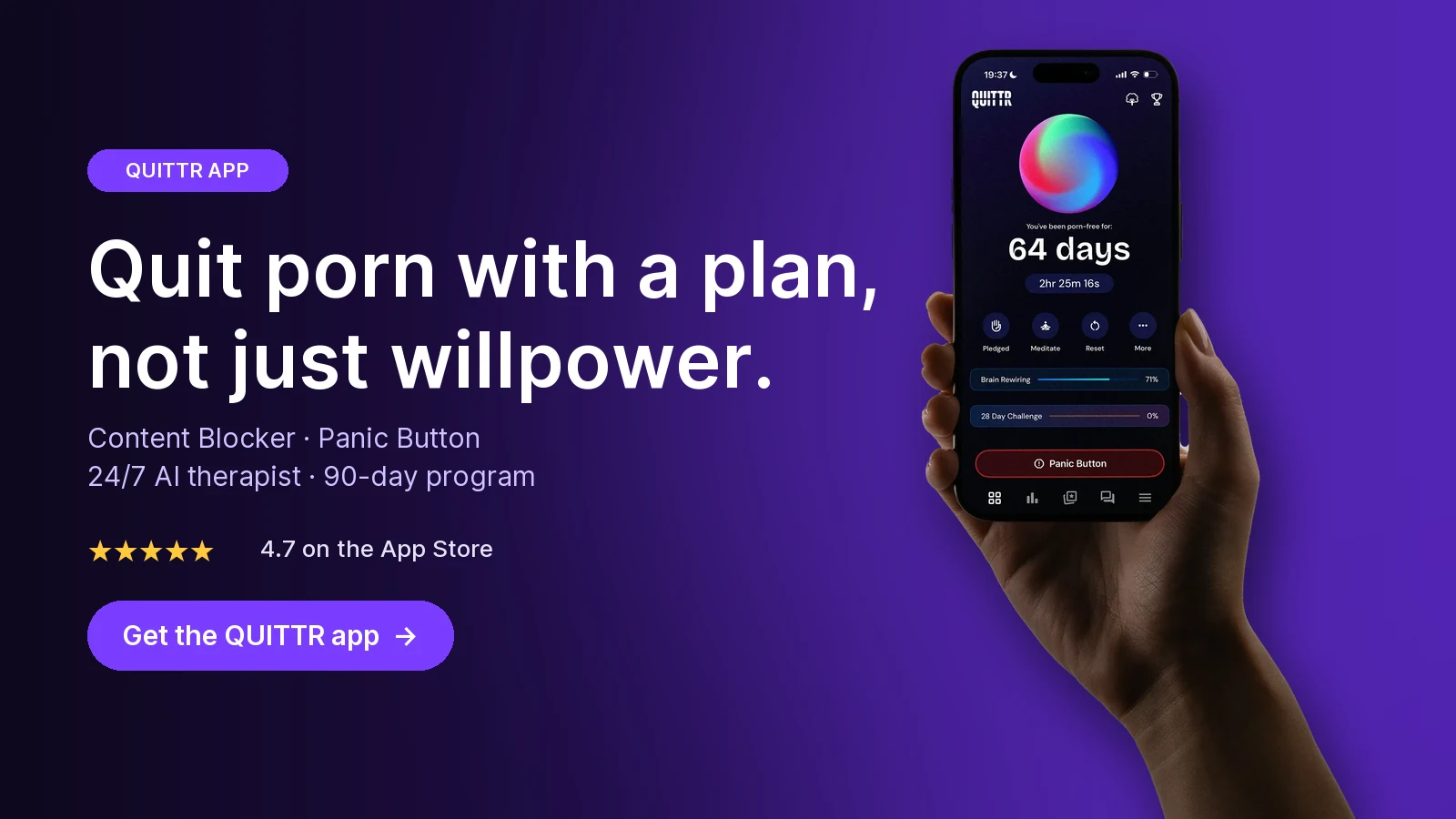
Ready to quit with a plan? Download QUITTR for iPhone or Android → · See how the app works
How to Lock SafeSearch: Account, Family Link or Network
Google's own page on locking SafeSearch (Lock SafeSearch for accounts, devices & networks you manage) gives three routes. Which one fits depends on whose device it is.
Family Link: Parents of a supervised child. SafeSearch is set to Filter and only the parent can change it. Doesn't hold if the child isn't signed in.
Google Workspace or Chrome admin policy: Schools, workplaces and managed Chromebooks. The admin console sets it, and users can't change it.
Hosts file on one computer: Adults locking their own Windows, Mac or Linux machine. Works in every browser on that device, but any admin account can undo it.
DNS on the router or a DNS filter: Every device on your Wi-Fi at once. Can't be undone in the browser. Doesn't follow phones onto mobile data.
Family Link (for parents)
Google says that for children signed in to a Family Link account, the default is Filter and "only parents can change it" (Google Search Help). To check or change it, open the Family Link app → select your child → Controls → Google Search, and keep SafeSearch on Filter (Manage Search on your child's Google Account).
Google lists two cases where Family Link can't enforce it: your child isn't signed in to their Google account, or you've installed alternative search apps such as Google Go. For a wider plan for a child's devices, see our guide to parental controls that actually block porn.
Locking it as an adult
If you manage your own Google account, you can always change SafeSearch yourself. That's why the hosts-file and DNS methods below matter. They take the switch away from the account, and you can make the "admin" someone other than you.
Lock SafeSearch With the Hosts File (Windows, Mac, Linux)
The hosts file tells your computer where a website lives before it asks the internet. Google documents pointing www.google.com at the SafeSearch address, which it says "works for all browsers on your device" (Lock SafeSearch). Google recommends this only "if you have a technical background," so go slowly and keep a copy of the original file.
Windows
Open Command Prompt and run
ping forcesafesearch.google.com. Note the IP address. Google's example is216.239.38.120, and that's what it resolved to when we checked in October 2026, but use the address you get.Open Notepad as Administrator, then open
C:\Windows\System32\drivers\etc\hosts.Add a line at the end:
216.239.38.120 www.google.com #forcesafesearchRepeat the line for any Google country domains you use, such as
www.google.co.ukorwww.google.ca.Save the file and restart your browser.
Mac
In Terminal, run
ping forcesafesearch.google.comand note the IP.Run
sudo nano /private/etc/hostsand enter your password.Add the same kind of line (
<IP> www.google.com #forcesafesearch), plus any country domains.Save with Control-O, exit with Control-X, and restart your browser.
On Linux, the steps are the same, but the file is /etc/hosts.
Check that it worked
Google says to load google.com/safesearch (or google.com) and confirm SafeSearch is on and can't be turned off.
Bing on the same PC
Microsoft documents the same trick for Bing on Windows (Blocking explicit content with SafeSearch). Run ping strict.bing.com and add that IP for www.bing.com, plus a line for edgeservices.bing.com to cover the Edge sidebar. Microsoft notes "the hosts file needs the actual IP for strict.bing.com rather than a CNAME." Don't copy Microsoft's example IP. When we checked in October 2026, strict.bing.com resolved to different addresses than the one on Microsoft's page. Microsoft documents this for Windows. The same kind of hosts line works on a Mac.
The weak point: admin rights
Both Google and Microsoft say users who are administrators on the device can undo this change. If you're the only admin, you can reverse it in two minutes. The fix is to make your everyday login a standard account and let someone you trust keep the admin password. Our guides on blocking porn on a Mac and blocking porn on a computer walk through standard accounts and other locks.
How to Lock YouTube Restricted Mode

Turn it on in each place you watch
YouTube's steps (Turn Restricted Mode on or off):
Computer: sign in, click your profile photo at the top right, click Restricted Mode at the bottom of the menu, then click Activate Restricted Mode.
Android: sign in, tap your profile photo, tap the Settings gear, choose General, and turn on Restricted Mode.
iPhone and iPad: tap your profile photo, tap Settings → General, and turn on Restricted Mode.
Smart speakers and displays: in the Home app, select the device, then Settings → Notifications & digital wellbeing → YouTube Settings.
The catch is in YouTube's own wording: "Restricted Mode works on the browser or device level, so you must turn it on for each browser you use." On devices with several profiles, you have to turn it on for each profile. A new browser or a new profile starts without it.
There's no lock for adults
YouTube's current help page doesn't offer a PIN or lock. For children, parents can manage Restricted Mode through Family Link, and YouTube says the child then "can't change the Restricted Mode settings on any device they're signed in to." For an adult, a real lock has to come from the network.
Force Restricted Mode with DNS
Google's admin documentation (Control YouTube content available to users) says to add CNAME records for these five hostnames:
www.youtube.comm.youtube.comyoutubei.googleapis.comyoutube.googleapis.comwww.youtube-nocookie.com
Point them to restrict.youtube.com for Strict or restrictmoderate.youtube.com for Moderate. Google warns against changing other YouTube hostnames, such as youtube.com, youtu.be or s.ytimg.com, because "YouTube might not function correctly." Networks that inspect traffic can insert the header YouTube-Restrict: Strict or YouTube-Restrict: Moderate instead.
Google doesn't spell out the difference on that page beyond offering both levels. As the names suggest, Strict is the tighter one. If you're in recovery, use Strict, because borderline videos are usually the problem.
To check your result, open youtube.com/check_content_restrictions. YouTube says this page can show whether an administrator or your own account is responsible when Restricted Mode is on.
Force SafeSearch on Your Router (Every Device at Once)

A network lock covers every phone, laptop, console and TV on your Wi-Fi, in every browser and in private windows. Google says the DNS method "can't be undone at the browser level" (Lock SafeSearch).
Option 1: Add the records yourself
If your router or local DNS server supports custom CNAME records, add these:
Map this hostname: www.google.com (plus country domains you use)
To this CNAME: forcesafesearch.google.com
Result: SafeSearch locked on
YouTube
Map this hostname: The five hostnames above
To this CNAME: restrict.youtube.com
Result: Strict Restricted Mode
Bing
Map this hostname: www.bing.com and edgeservices.bing.com
To this CNAME: strict.bing.com
Result: Strict, controls disabled
DuckDuckGo
Map this hostname: duckduckgo.com
To this CNAME: safe.duckduckgo.com
Result: Strict, controls disabled
The Bing and DuckDuckGo entries come from their own help pages. Microsoft says strict.bing.com returns Strict results and disables SafeSearch controls. It advises against blocking Bing's IP, because that "could have the adverse impact of blocking other Microsoft domains" (Microsoft Support). DuckDuckGo says the CNAME "enforces safe search for all queries on your network and disables client safe search controls" (DuckDuckGo Help).
Most consumer routers can't create CNAME records. If yours can't, use Option 2.
Option 2: A DNS filter that enforces it for you
Change the DNS servers on your router to a filtering service, and the SafeSearch mapping happens on their side:
CleanBrowsing Family Filter (free,
185.228.168.168and185.228.169.168): CleanBrowsing says "Google, Bing and Youtube are set to the SafeSearch," and it also blocks adult sites (CleanBrowsing filters).CleanBrowsing Adult Filter (free,
185.228.168.10and185.228.169.11): enforces SafeSearch on Google and Bing, but not YouTube.NextDNS: offers "Enforce SafeSearch" and "Enforce YouTube Restricted Mode" toggles (NextDNS). The free plan covers 300,000 queries a month. After that, NextDNS says it keeps answering "like a classic non-blocking DNS service," so your locks quietly stop. Pro costs CHF 2 a month as of October 2026 (NextDNS pricing).
Our step-by-step guide on how to block porn on your router shows where the DNS settings sit on common routers. Change the router's admin password too, or the lock is only as strong as the default password on its sticker.
Check that it worked
On any device on your Wi-Fi, open google.com/safesearch and confirm you can't switch to Blur or Off. Then open youtube.com/check_content_restrictions. On Bing, the SafeSearch setting should be locked to Strict.
DuckDuckGo and Bing: Close the Other Doors

If you only lock Google, the next search goes somewhere else. Lock every search engine you or your household use.
Bing. Microsoft's levels are Strict ("filters explicit text, images, and videos"), Moderate (images and videos, but not text, and the default) and Off. Choose Strict in Bing's Settings page and click Save. Microsoft says Bing settings for users under 18 may be set to Strict automatically under local law (Microsoft Support). For a real lock, use the strict.bing.com mapping above.
DuckDuckGo. You can change safe search from the dropdown below the search box or on the settings page. DuckDuckGo says searches on safe.duckduckgo.com "always have safe search set to strict." It also documents kp=1 (strict), kp=-1 (moderate) and kp=-2 (off) URL parameters, and a !safeoff shortcut (DuckDuckGo Help). That shortcut is exactly why the account setting isn't enough. Only the network CNAME disables the controls.
DNS rewrites don't behave the same on every router, so test DuckDuckGo after you set it up: run a search, open the image tab, and try to switch safe search off. If it breaks, block DuckDuckGo on that network and keep Google and Bing locked.
Loopholes a SafeSearch Lock Doesn't Close

A locked SafeSearch is a good speed bump. It isn't a porn blocker. Know the gaps:
Direct addresses. SafeSearch only changes search results. Typing a site's address skips it completely. You need a filter that blocks adult domains, like the CleanBrowsing filters above or a blocker from our list of the best free porn blockers.
Other search engines. Google, Bing, YouTube and DuckDuckGo document lock addresses. A search engine without one isn't covered by a CNAME, so a filtering DNS service or a blocklist has to handle it.
Encrypted DNS in the browser. Mozilla warns that DNS over HTTPS "bypasses your local DNS resolver and defeats these special policies" (Firefox DNS over HTTPS). Firefox's Default protection turns DoH off when it detects parental controls. Custom protection always uses the provider you pick, which can route around your router's lock (Firefox DoH protection levels). Check this setting in every browser, and use a DNS filter that blocks VPNs and proxies if you can.
Mobile data. A router lock ends at your Wi-Fi. On cellular, your phone uses its carrier's DNS. Set Private DNS on Android or a filter on iPhone. Our guide on how to block porn on iPhone and Android covers both.
Images on other sites and in apps. SafeSearch doesn't touch social apps, messaging apps or image hosts.
The Full Lock Setup, in Order
Set Filter on Google and Strict on Bing, signed in, on every account you use.
Turn on Restricted Mode in every browser, profile and YouTube app.
Add the DNS lock on your router, or switch it to a filter like CleanBrowsing Family.
Add the hosts-file lock on your laptop so it holds on other Wi-Fi networks.
Make your daily login a standard account, and hand the admin and router passwords to an accountability partner.
Add a content blocker for direct URLs and mobile data.
Test with google.com/safesearch and youtube.com/check_content_restrictions every few weeks.
Key takeaways
Choose Filter, not Blur. Blur leaves explicit text and links visible, and blurred images are one click away.
Adults can't lock SafeSearch inside a Google account. Lock it with DNS (forcesafesearch.google.com) or the hosts file.
YouTube Restricted Mode is per browser and device. Force it network-wide with restrict.youtube.com on five hostnames.
Lock Bing (strict.bing.com) and DuckDuckGo (safe.duckduckgo.com) too, or the next search just moves there.
SafeSearch doesn't block direct URLs, so pair it with a porn blocker and keep the admin passwords with someone else.
How QUITTR Can Help
A SafeSearch lock cleans up search results. It doesn't help with what happens when you type an address directly, or with the urge that sent you searching. QUITTR is a recovery app for iOS and Android, plus a Chrome extension, built around a 90-day plan that combines cognitive-behavioral tools with streaks and rewards.
The QUITTR Content Blocker filters adult websites, risky search terms and porn URLs, and integrates with your phone's system to block adult content across browsers. That covers the gaps SafeSearch leaves. When an urge hits, the Panic Button runs breathing exercises, distractions and motivational messages. Melius, the AI therapist, gives private 24/7 support and helps you spot your triggers. QUITTR is a paid subscription. Check the app for current pricing.
“I didn’t think I could ever break free from porn—but QUITTR’s content blocker gave me the tools to regain control. The sense of achievement and freedom I feel today is beyond words.” — Daniel Franklin
Join the 28-day challenge. Get QUITTR on the App Store or Google Play → · Learn more about QUITTR
Related articles
How to Block Porn on Your Router (Every Device on Your Wi-Fi)
What Happens After 2 Weeks of NoFap? (What NoFap Community & Reddit Users Say)
Frequently Asked Questions
How do I permanently lock SafeSearch on Google?
An adult account has no lock button. Google only locks SafeSearch when someone else manages it: a parent in Family Link, a school, or a device or network administrator. To lock it yourself, map www.google.com to forcesafesearch.google.com in your router's DNS or your computer's hosts file, or use a DNS filter that enforces SafeSearch. Then give the admin password to someone you trust.
Why does my SafeSearch keep turning off?
Google says that if you delete your cookies while you're not signed in, your SafeSearch setting could reset. Other common causes are a different browser or Google account, a URL with a safe= setting, an antivirus program that changes it, or an alternative search app. Signing in saves the setting, and a DNS or hosts-file lock stops the problem completely.
Can you lock YouTube Restricted Mode?
Not with a password inside YouTube. YouTube says Restricted Mode works per browser or device, so you have to turn it on in each one. Parents can lock it for a child through Family Link. For adults, the real lock is network-level: point YouTube's hostnames to restrict.youtube.com, or use a DNS filter that enforces Restricted Mode.
Does SafeSearch Blur block porn?
No. Google says Blur blurs explicit images, but explicit text and links can still appear if they're relevant to your search, and you can click to view a blurred image. Filter blocks explicit results. If you're quitting porn, choose Filter, then lock it.
Does forcing SafeSearch on my router block porn sites?
No. It only changes search results on Google, Bing, YouTube or DuckDuckGo. Anyone can still type a porn site's address directly. For that you need a DNS filter that blocks adult domains, such as CleanBrowsing's free Family or Adult Filter, or a content blocker on each device.
How do I lock Bing SafeSearch to Strict?
Microsoft says to set the DNS entry for www.bing.com as a CNAME for strict.bing.com on your router or proxy. That returns Strict results and disables the SafeSearch controls. On one Windows PC you can add the current strict.bing.com IP address for www.bing.com to the hosts file instead.
Sources
Make Google Search safer with SafeSearch — Google Search Help
Lock SafeSearch for accounts, devices & networks you manage — Google Search Help
Manage Search on your child's Google Account — Google For Families Help
Control YouTube content available to users — Google Workspace Admin Help
Blocking explicit content with SafeSearch — Microsoft Support
Configure DNS over HTTPS protection levels in Firefox — Mozilla Support